Multi-Worker AI Kanban: How Self-Managing Task Automation Works
We started with a chat box and a single AI worker. Type a message, get a response, move on. It worked — until it didn’t.
The moment we had more than one project running, the cracks appeared. Tasks piled up. Context got lost between conversations. We’d forget what we asked the AI to do yesterday. And crucially, there was no way to parallelise — one worker meant one task at a time, full stop.
So we built a Kanban board. Not a generic off-the-shelf one, but a purpose-built task management system where AI workers autonomously pick up tasks, execute them, and hand off to each other. Over 2,000 tasks later, here’s how it all works.
TL;DR: A multi-worker AI Kanban is a task board where specialised AI agents autonomously pick up, execute, and complete tasks — with drag-and-drop UI, auto-dispatch, stale recovery, and real-time SSE updates. We built one that’s processed 2,000+ tasks across 10 project boards with zero human intervention on task routing.
The Five-Column Board
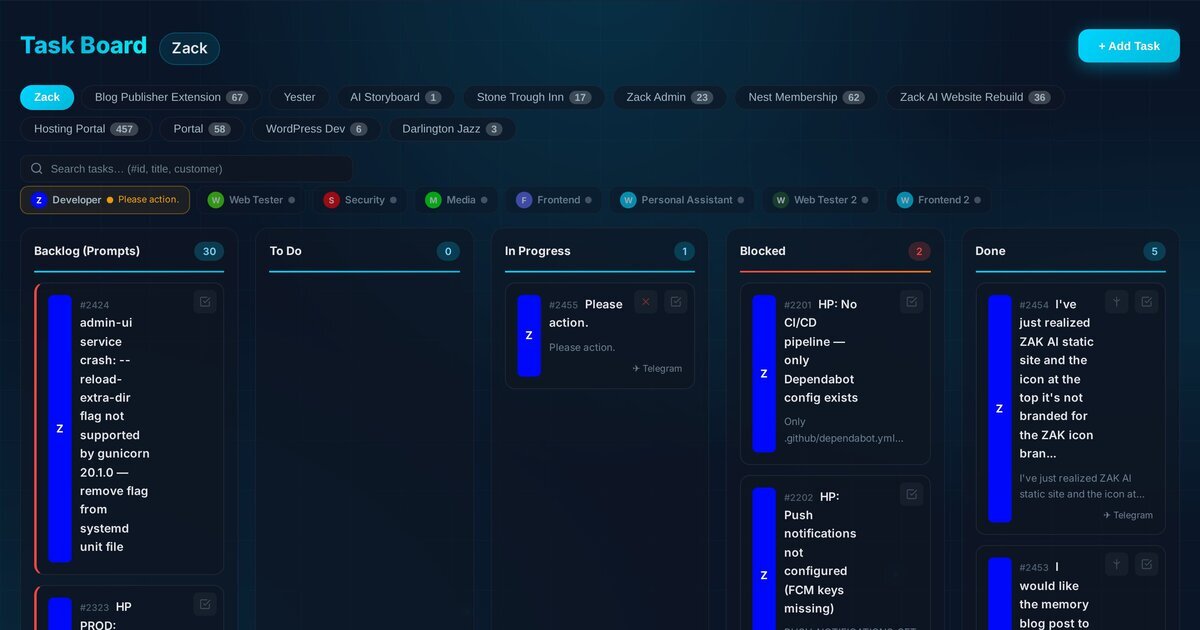
The board follows a classic Kanban layout with five columns: Backlog, To Do, In Progress, Blocked, and Done. But the magic is in what happens when a card moves between them.
Every task card carries a coloured strip down its left edge — that’s the worker assignment. Blue for the Developer, green for Web Tester, purple for Frontend, red for Security. At a glance, you can see who’s doing what across the entire board.
The board is fully drag-and-drop. Grab a card from Backlog and drop it into To Do, and the auto-dispatch system kicks in. Drop it directly into In Progress and it immediately sends the task to the assigned worker’s Claude subprocess. It’s tactile, fast, and satisfying.
Workers: Specialised AI With Their Own Personalities
We currently run eight active workers, each with a distinct role, model selection, and set of memory files:
| Worker | Model | Role |
|---|---|---|
| Developer | Opus | Full-stack dev, architecture, database work |
| Web Tester | Sonnet | QA, browser testing, test reports |
| Web Tester 2 | Sonnet | Overflow QA capacity |
| Security | Sonnet | Security audits, vulnerability scanning |
| Media | Haiku | Video, audio, image generation |
| Frontend | Opus | UI/UX design, CSS, responsive layouts |
| Frontend 2 | Opus | Overflow frontend capacity |
| Personal Assistant | Haiku | Communications, scheduling, admin |
Each worker has its own conversation history, its own set of topic files (injected context about specific systems), and its own persona prompt. The Developer worker, for instance, is instructed to automatically create a testing brief for the Web Tester whenever it completes a dev task — building a QA handoff chain directly into the system.

The status bar across the top of the board shows every worker in real time. A pulsing amber dot means they’re actively working. Grey means idle. Red means stale (more on that shortly). You can click any worker badge to filter the board to just their tasks.
How Does AI Auto-Dispatch Work?
This is where it gets interesting. When a task lands in the To Do column — either by drag-and-drop or programmatically via the CLI — the auto-dispatch sequencer fires.
The logic lives in the frontend JavaScript and works like this:
async function _processNextTodoTaskInner() {
    const freshTasks = await api('/tasks');

    // Find which workers are currently busy
    const busyWorkers = new Set(
        freshTasks
            .filter(t => t.status === 'in_progress')
            .map(t => t.worker_id || 'general')
    );

    // Get todo tasks in FIFO order, skip Telegram-sourced
    const todoTasks = freshTasks
        .filter(t => t.status === 'todo' && t.source !== 'telegram')
        .sort((a, b) => a.id - b.id);

    // Match each available worker to their oldest todo task
    const dispatched = [];
    for (const task of todoTasks) {
        const workerId = task.worker_id || 'general';
        if (busyWorkers.has(workerId)) continue;
        busyWorkers.add(workerId);
        dispatched.push(task);
    }

    // Dispatch all ready workers in parallel
    await Promise.all(dispatched.map(task =>
        processTaskForClaude(task.id, task)
    ));
}
The key design decision: one in-progress task per worker, enforced server-side with HTTP 409. If two browser tabs try to dispatch the same worker simultaneously, the server rejects the second attempt with a conflict response. Simple, effective, no distributed locks needed.
# Server-side mutex: one task per worker
if new_status == 'in_progress':
    existing = db.execute(
        'SELECT id FROM tasks WHERE worker_id = ? AND status = ?',
        (target_worker, 'in_progress')
    ).fetchone()
    if existing:
        return jsonify({
            'error': f'Worker "{target_worker}" already has task #{existing["id"]} in progress'
        }), 409
This means you can queue up a dozen tasks across different workers, and the system will dispatch them all in parallel — Developer working on a database migration while Frontend builds a new component while Web Tester runs browser tests. True parallel AI execution.
Project Boards: Isolated Workspaces
As the number of tasks grew (we’re past 2,000 now), a single flat board became unmanageable. So we added project boards.

Each project gets its own Kanban board with the same five-column layout. The main “Zack” board handles general tasks, while projects like Hosting Portal (457 tasks), Blog Publisher Extension (67 tasks), and Nest Membership (62 tasks) each have their own isolated workspace.
The clever bit: sub-tasks automatically inherit their parent’s board. When the Developer worker creates a testing task for the Web Tester, it passes --parent <taskId> to the CLI, and the new task lands on the same project board:
# Sub-tasks inherit the parent's project board
if [ -n "$parent" ]; then
    inherited=$(sqlite3 "$DB" "SELECT project_id FROM tasks WHERE id = $parent;")
    project_id="${inherited:-$project_id}"
fi
This keeps related work co-located without any manual board assignment.
Real-Time Updates: SSE With Change Detection
The board updates in real time using Server-Sent Events. But we didn’t want to push the entire task list every two seconds — that would be wasteful. Instead, the server uses a lightweight change-detection query:
@app.route('/api/tasks/stream')
def stream_tasks():
    def generate():
        last_check = None
        while True:
            # Quick hash: latest update timestamp + task count
            row = db.execute('''
                SELECT MAX(updated_at) as latest, COUNT(*) as cnt
                FROM tasks WHERE status != 'archived'
            ''').fetchone()
            check_key = f'{row["latest"]}:{row["cnt"]}'

            if check_key != last_check:
                # Something changed — push full state
                tasks = db.execute('SELECT t.*, w.name ...').fetchall()
                yield f'data: {json.dumps(tasks)}\n\n'
                last_check = check_key

            yield ': heartbeat\n\n'
            time.sleep(2)

    return Response(generate(), mimetype='text/event-stream')
The MAX(updated_at):COUNT(*) check is essentially free — a single index scan that only triggers a full data push when something actually changes. The SSE connection is capped at 5 minutes and then dropped to force a client reconnect, preventing zombie server threads.
On the frontend, renders are debounced at 150ms to prevent DOM thrashing when multiple SSE events arrive in quick succession.
How Do You Handle Crashed AI Workers?
AI workers occasionally crash. A Claude subprocess might hit a context limit, encounter an API error, or simply hang. Without intervention, the task would sit in “In Progress” forever, blocking that worker’s queue.
We solved this with a two-part watchdog system.
Part 1: The heartbeat. While a Claude subprocess is actively running, a background thread touches the task’s updated_at timestamp every 30 seconds:
def watchdog_pinger():
    while not watchdog_stop.is_set():
        if task_id:
            db.execute('''
                UPDATE tasks SET updated_at = CURRENT_TIMESTAMP
                WHERE id = ? AND status = 'in_progress'
            ''', (task_id,))
        watchdog_stop.wait(30)
Part 2: The stale detector. Every 60 seconds, the frontend calls the stale-check endpoint. Any task that hasn’t been touched for 35 minutes gets automatically reverted to To Do — and the sequencer immediately re-dispatches it:
stale = db.execute('''
    SELECT id, title, worker_id FROM tasks
    WHERE status = 'in_progress'
    AND updated_at < datetime('now', '-35 minutes')
''').fetchall()

for task in stale:
    db.execute('UPDATE tasks SET status = "todo" WHERE id = ?', (task['id'],))
The 35-minute threshold gives long-running tasks enough room to breathe (some complex dev tasks genuinely take 20+ minutes), while catching genuinely stuck processes within a reasonable window.
The Kill Switch
Sometimes you don’t want to wait 35 minutes. When a task is actively in progress, a red X button appears on the card. Clicking it:
- Reads the worker’s PID file
- Sends
SIGTERMto the entire process group - Waits one second, then sends
SIGKILLas a fallback - Moves the task back to Backlog (not To Do — to avoid accidental re-dispatch)
- Sends a Telegram notification
pid = int(pid_file.read_text().strip())
os.killpg(os.getpgid(pid), signal.SIGTERM)
time.sleep(1)
os.killpg(os.getpgid(pid), signal.SIGKILL)
It’s brutal but necessary. When you spot an AI worker going down the wrong path, you want to be able to pull the plug immediately.
The task.sh CLI: How Workers Create Tasks
Workers don’t just consume tasks — they create them. The task.sh CLI is the primary interface for programmatic task management:
# Create a task on a specific board, assigned to a worker
task.sh add "Run browser tests for login flow" \
    --board 8 --worker web-tester --priority 1

# Mark a task as complete
task.sh done 2415

# Search across all tasks
task.sh search "authentication"
The source matters. Tasks created via Telegram go straight to in_progress (the bot is already handling them). Tasks created manually or by other workers start in backlog, waiting for a human to promote them.
This creates a natural approval gate. The Developer can create a “Run regression tests” task for the Web Tester, but it sits in Backlog until someone decides it’s ready. Or, if you trust the workflow, drag it to To Do and let the sequencer handle it automatically.
Audio Feedback: Synthesised Status Sounds
A small but delightful touch — the board uses the Web Audio API to synthesise distinct sounds for each status transition. No audio files, just oscillators and gain nodes:
- Backlog: A descending two-tone — soft “drop” sound
- To Do: A double-tap — “queued” confirmation
- In Progress: A rising three-note arpeggio — “kick off”
- Done: A major chord chime — task completed
It sounds trivial, but when you’re running multiple workers in parallel, the audio cues become genuinely useful. You hear the “kick off” sound and know a worker just picked up a task. You hear the chime and know something just completed — without even looking at the screen.
Mobile: The Board That Adapts
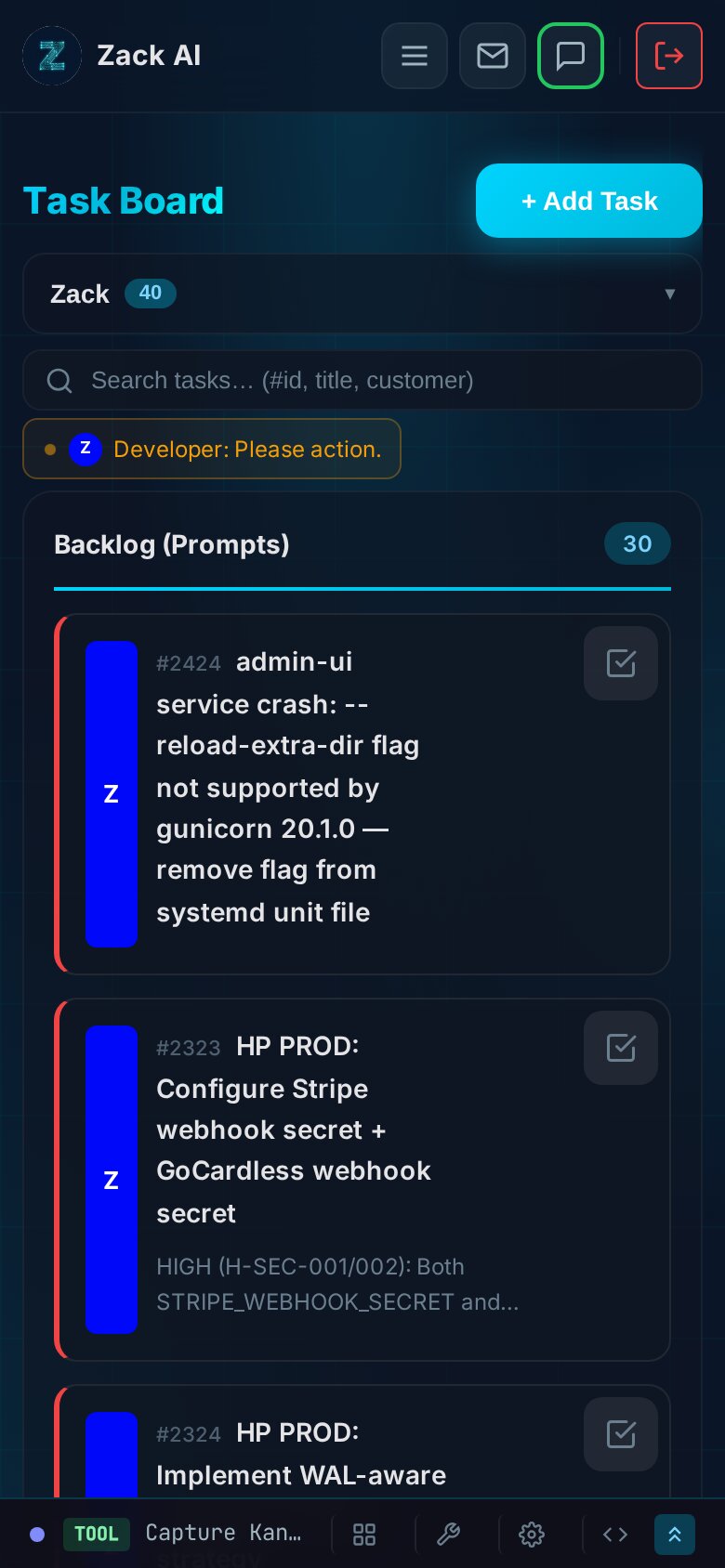
The entire board is responsive. On mobile, the five-column layout collapses to a single scrollable column with status section headers. The worker status bar compresses to show only active workers. Task cards become more compact, with descriptions truncated and metadata condensed.
This matters because we often manage tasks from a phone via Telegram. Being able to glance at the board on mobile and see what’s running, what’s blocked, and what’s queued is essential for a system that runs autonomously.
The Threading Model
Under the hood, the Telegram bot runs as a single systemctl service with one thread per active worker:
def process_admin_messages():
    pending_items = get_pending_admin_messages()

    for item in pending_items:
        worker_id = item['worker_id']
        with worker_threads_lock:
            # Skip if this worker already has a running thread
            if worker_id in active_worker_threads \
               and active_worker_threads[worker_id].is_alive():
                continue

            # Atomic claim: UPDATE WHERE status='pending'
            if not claim_queue_item(item['id']):
                continue

            t = threading.Thread(
                target=_process_worker_item,
                args=(item,),
                daemon=True
            )
            active_worker_threads[worker_id] = t
            t.start()
The claim is optimistic locking — UPDATE ... WHERE status = 'pending' acts as a mutex. If the row was already claimed, rowcount is 0 and the item is skipped. No race conditions, no double-processing.
Each thread then shells out to the Claude CLI with the worker’s specific model, allowed tools, role prompt, memory files, and conversation history. The per-worker PID file allows the kill endpoint to target a specific subprocess without affecting others.
The Numbers
After several months of running this system across real client projects:
| Metric | Value |
|---|---|
| Total tasks processed | 2,019 |
| Active project boards | 10 |
| Active workers | 8 |
| Largest project (Hosting Portal) | 457 tasks |
| Developer worker completions | 1,492 |
| Web Tester completions | 247 |
| Frontend completions | 125 |
The Developer worker has handled the lion’s share, but the distribution is shifting. As we’ve added more specialised workers and refined their roles, the workload has become more balanced — exactly what we designed the system to achieve.
What We Learned
-
Server-side mutex beats distributed locks. A simple
SELECT ... WHERE status = 'in_progress'with a 409 response is all you need for per-worker mutual exclusion. No Redis, no advisory locks, no complexity. -
Frontend-driven dispatch is surprisingly robust. Having the auto-sequencer in the browser means you can watch it work in DevTools, pause it by closing the tab, and debug it with
console.log. The server stays stateless. -
The heartbeat/stale pattern handles crashes gracefully. Thirty-second heartbeats with a 35-minute stale threshold means crashed processes get their tasks recycled automatically — without false positives on long-running legitimate tasks.
-
Audio feedback is underrated. When you’re managing 8 parallel workers, your ears catch status changes faster than your eyes. The synthesised sounds cost nothing to implement and add genuine utility.
-
Sub-task inheritance prevents board sprawl. Automatically placing sub-tasks on the same board as their parent keeps related work together without any manual intervention.
-
Workers should create tasks for each other. The Developer creating QA tasks for the Web Tester, the Frontend creating visual regression tasks — these cross-worker handoffs emerged naturally once we gave workers the CLI tools to do it.
Key Takeaways
- Server-side mutex beats distributed locks. A simple HTTP 409 conflict response enforces one-task-per-worker without Redis or advisory locks.
- Frontend-driven dispatch is surprisingly robust. Auto-sequencer in the browser means you can watch it work, pause it by closing the tab, and debug with DevTools.
- The heartbeat/stale pattern handles crashes gracefully. 30-second heartbeats + 35-minute stale threshold = automatic task recycling with no false positives.
- Sub-task inheritance prevents board sprawl. Child tasks automatically land on the parent’s project board.
- Workers should create tasks for each other. Developer → Web Tester QA handoffs emerged naturally once workers had CLI access.
- Audio feedback is underrated. Synthesised status sounds let you monitor parallel workers by ear.
Related reading: 7 AI workers shipped a hosting portal in 12 days | How we cut AI costs 70% with memory optimisation
The Kanban system is part of Zack AI, our AI business assistant platform. If you’re building multi-agent AI systems and want to chat about task orchestration, worker threading, or just how weird it is watching AI manage its own workload — get in touch.
More Posts

Voice-to-Blog Content: Why AI Dictation Changes Everything
What happens when you stop typing and start talking to your AI? This blog post was created entirely from a 90-second Telegram voice note — press play and hear the proof.
AI-Powered SEO: How We Scored 100 on Google Lighthouse
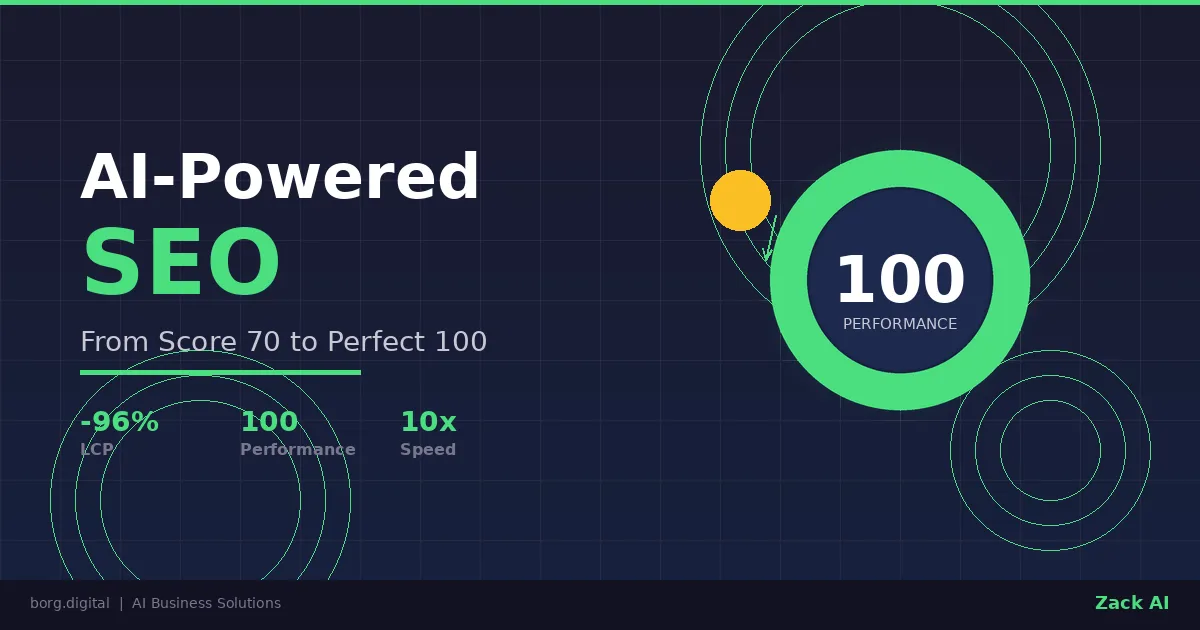
We ran a full SEO audit on zackbot.ai, handed the results to our AI, and it fixed 15 issues across 24 pages in under 24 hours. Lighthouse Performance: 70 to 100.

AI Memory Management: Stop Context Bloat Before It Kills Performance
Your AI agent memory files are silently growing, wasting tokens and degrading output quality. Here are three self-enforcing rules you can paste into your MEMORY.md today to fix it permanently.
OpenClaw vs NanoClaw vs ZeroClaw 2026: Every AI Agent Tested & Compared
OpenClaw hit 160,000 GitHub stars and then its creator left for OpenAI. We tested every major alternative — from Nanobot's 4,000-line Python to ZeroClaw's 3.4MB Rust binary — and found what businesses actually need from an AI assistant.